Meeting transcripts are useful in theory. In practice, they are
usually long, repetitive, and full of half-finished thoughts.
The information you actually need, such as what was decided, who owns
the next step, and when it is due, may be scattered across thousands of
words.
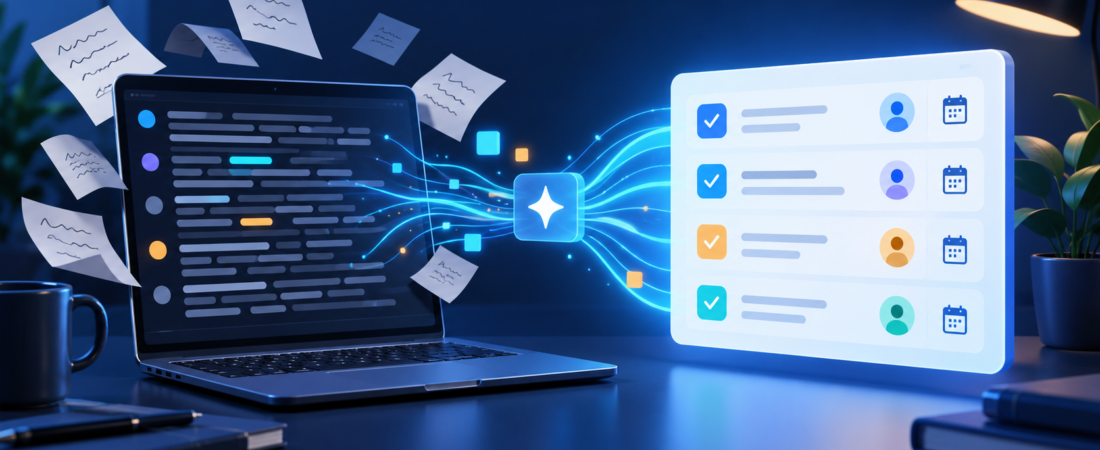
ChatGPT can turn that transcript into a usable action plan in a few
minutes. The important part is not asking for a vague summary. You need
to give it a structure, force it to separate facts from assumptions, and
verify the result before sharing it.
Here is a practical workflow you can reuse after almost any
meeting.
What You Need Before You
Start
You need a transcript or reasonably complete set of notes. Most
meeting platforms and transcription tools let you export text, although
the exact format varies.
Speaker labels make the result much better. A transcript that
identifies “Jordan,” “Maya,” and “Chris” is easier to convert into
assigned tasks than one that labels everyone as “Speaker 1.”
ChatGPT supports common document and text formats, including PDF,
DOCX, and TXT files, so you can either upload the transcript or paste it
into the conversation. See OpenAI’s supported
file types for current details.
Before uploading anything, remove information that should not leave
your company or team. Do not paste passwords, customer financial
information, confidential legal discussions, health data, or other
restricted material into a general-purpose AI tool. Follow your
organization’s AI and data-handling policies.
Step 1: Clean Only What Is
Necessary
You do not need to manually rewrite the transcript. That defeats the
purpose.
Make only the corrections that could change the meaning:
- Fix badly misspelled participant names.
- Replace incorrect project or product names.
- Remove unrelated pre-meeting chatter if the transcript is extremely
long. - Mark sections where the transcription is obviously unreliable.
Leave ordinary filler words, repetition, and conversational detours
alone. ChatGPT can usually work through them.
Step 2: Give ChatGPT a
Specific Job
“Summarize this meeting” is too open-ended. It may produce a polished
recap while overlooking an important commitment buried near the end.
Instead, tell ChatGPT exactly what to extract and how to handle
missing information.
Copy this prompt:
You are converting a meeting transcript into a practical action plan.

Read the transcript and produce these sections:

1. Executive summary
   - Summarize the meeting in no more than five bullets.

2. Decisions made
   - List only decisions that were clearly agreed upon.
   - Include a short supporting quote or timestamp when available.

3. Action items
   - Create a table with: Task, Owner, Deadline, Priority, and Evidence.
   - Do not invent an owner or deadline.
   - If either is missing, write "Not assigned."

4. Open questions
   - List unresolved issues that require follow-up.

5. Risks and blockers
   - Identify anything that could delay the agreed work.

6. Follow-up message
   - Draft a concise email or Slack message summarizing the decisions and action items.

Important rules:
- Separate confirmed facts from suggestions.
- If the transcript is ambiguous, say so.
- Do not create commitments that were not stated.
- Keep the output concise and operational.

Meeting context: [one sentence describing the meeting]
Transcript:
[paste or attach transcript]
The line “Do not invent an owner or deadline” matters. Without it, an
AI assistant may make the output look complete by filling gaps with
plausible but incorrect details.
Step 3: Ask for a
Verification Pass
Do not immediately forward the first result.
Ask ChatGPT to review its work against the original transcript:
Now audit the action plan against the transcript.

For every decision and action item:
- Confirm that it is supported by the transcript.
- Flag uncertain wording.
- Identify any task, owner, deadline, disagreement, or open question you may have missed.
- Remove anything that depends on an unsupported assumption.

Return only the corrected action plan and a short list of items that need human confirmation.
This second pass changes the task from “write a convincing summary”
to “check the evidence.” It will not guarantee perfect accuracy, but it
makes unsupported assumptions easier to spot.
Step 4: Resolve the
Unassigned Work
The most valuable output may be the rows marked “Not assigned.”
A meeting often sounds productive even when nobody accepted
responsibility for the next step. The same is true for deadlines: “We
should handle that soon” is not a due date.
Before sending the recap, ask the meeting organizer or team to
resolve those gaps. For example:
- Who owns the vendor comparison?
- Is the launch review due Thursday or next Monday?
- Did the group approve the change, or merely discuss it?
ChatGPT should expose ambiguity, not hide it.
Step 5: Convert
the Result Into the Tool You Use
Once the action plan is verified, ask ChatGPT to format it for its
destination.
For an email
Turn the verified action plan into a concise follow-up email. Lead with the decisions, then list each action item with its owner and deadline. Put unresolved questions at the end. Use a direct, friendly tone.For Slack or Microsoft Teams
Turn the verified action plan into a short channel update. Use checkboxes for tasks, bold the owners, and keep the message under 200 words.For a project tracker
Convert the action items into CSV with these columns: Task, Owner, Deadline, Priority, Status, Source Evidence. Use "Not assigned" for missing values.Formatting the same verified source is safer than asking ChatGPT to
reanalyze the transcript separately for every destination.
A Small Example
Imagine a product meeting includes this exchange:
Maya: The onboarding email is confusing. I can rewrite it, but I need
the final screenshots from Jordan.Jordan: I should have those by Thursday.
Chris: Good. Let’s use the revised email for next week’s release.
A useful action plan would record:
| Task | Owner | Deadline | Evidence |
|---|---|---|---|
| Deliver final onboarding screenshots | Jordan | Thursday | “I should have those by Thursday.” |
| Rewrite the onboarding email | Maya | Not assigned | Maya volunteered, but no deadline was stated. |
| Use the revised email in the next release | Not assigned | Next week’s release | The decision was confirmed, but implementation ownership was not. |
A weak summary might say, “The team agreed to improve onboarding.”
That is accurate, but it is not operational. The table shows what must
happen and what is still missing.
Common Mistakes to Avoid
Trusting confident output
ChatGPT can present an inference as if it were settled. Check names,
numbers, deadlines, and decisions against the source.
Uploading
sensitive transcripts without review
Review the transcript and your organization’s policy first. For
personal ChatGPT accounts, OpenAI provides a Data Controls setting that
lets you turn off “Improve the model for everyone”; new conversations
will then not be used to train its models. Review the current Data
Controls guidance rather than treating that setting as permission to
upload restricted company data.
Asking for too much at once
Start with extraction and verification. Create polished emails,
project tickets, or reports only after the facts are correct.
Treating a transcript
as a perfect record
Transcription software can misidentify speakers and mishear names,
dates, and numbers. AI cannot reliably correct information that was
captured incorrectly.
Recording people without
permission
Ask participants before recording, and follow your organization’s
policies and applicable laws. If you use ChatGPT Record, OpenAI itself
reminds users to obtain the appropriate consent; its Record
documentation also explains how recordings become transcripts and
summaries.
The Repeatable Five-Minute
Workflow
After your next meeting:
- Export the transcript.
- Correct names and obvious transcription errors.
- Remove restricted or irrelevant information.
- Run the structured extraction prompt.
- Run the verification prompt.
- Resolve missing owners and deadlines.
- Format the verified plan for email, chat, or your project
tracker.
The goal is not to create prettier meeting notes. It is to turn
conversation into accountable next steps without inventing
commitments.
Want more practical AI workflows like this? Join ZippByte Weekly for useful prompts, tools, and shortcuts you can apply
immediately.