
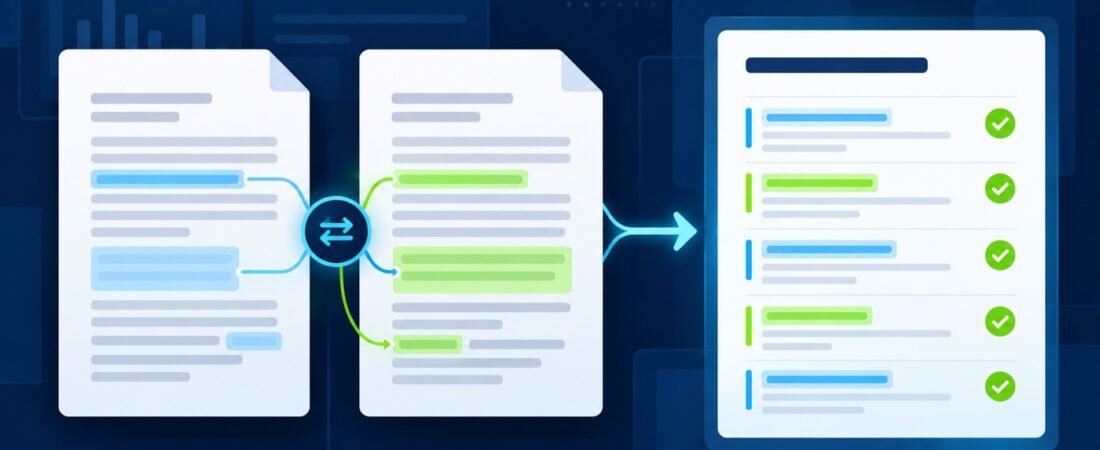
To compare documents with ChatGPT, you need more than a request to “find the differences.” A useful comparison identifies where each finding came from, separates wording changes from meaning changes, and leaves uncertain items for human review. Without those controls, a polished summary can hide an omitted clause or overstate a minor edit.
OpenAI lists comparing and contrasting two documents as a supported file-upload task. That makes ChatGPT useful for a first-pass review, not a final authority. This workflow produces a structured change ledger, then checks each important row against the original files.
Use it for policies, proposals, contracts, procedures, project plans, or other text-heavy documents. For legal, regulatory, financial, safety, or employment material, route the result through the qualified reviewer your organization requires.
Choose the right versions before comparing
Start with two clearly named files. Rename local copies if the filenames are vague. A simple pattern such as vendor-policy-2026-06-01.pdf and vendor-policy-2026-09-15.pdf is easier to track than final.pdf and final-new.pdf.
Record the file name, date, document title, version number if present, and source location. Confirm which file is the baseline and which is the candidate. If you cannot establish that order, stop and ask the document owner. ChatGPT should not guess which version controls.
Check your data-handling rules before uploading anything. Remove passwords, access tokens, personal information, and unrelated confidential material. OpenAI documents account-level data controls, while managed workspaces may have additional retention and access rules. Your organization’s policy decides what may be uploaded.
Define what counts as an important change
A complete word-level diff may be noisy. A broad summary may be too vague. Define the comparison categories before you upload the files so the review matches the decision you need to make.
- Obligations: duties, approvals, or required actions.
- Scope: people, products, regions, systems, or situations covered.
- Timing: dates, deadlines, notice periods, or review cycles.
- Money and quantities: prices, limits, thresholds, percentages, or counts.
- Exceptions: conditions that change the normal rule.
- Definitions: renamed terms or terms whose meaning changed.
- Structure: moved, added, or removed sections.
Add categories that matter to the document owner. Do not label a change “material” unless a qualified reviewer has defined that term for this review.
I will provide two documents.

Baseline: [file name and version]
Candidate: [file name and version]
Purpose of the comparison: [decision this review supports]
Priority categories: [list]

Before comparing them, confirm the document titles and visible version identifiers. If the files or version order are ambiguous, stop and ask a question. Do not infer which document controls.
Create a section map first
Ask ChatGPT to list the headings in each document before analyzing individual changes. This catches moved or renamed sections and reveals whether the files use compatible structures. It also gives you a reference for later verification.
Create a section map for both documents. For each section, report the exact heading, heading number if present, and starting page or another precise locator available in the file.

Then pair likely corresponding sections. Label sections as matched, renamed, moved, added, removed, or uncertain. Do not summarize the changes yet.
Review the map yourself. Page numbers can shift because of formatting, so use section names and distinctive phrases too. If a scanned PDF has poor text recognition, replace it with a searchable copy or verify findings against the visible pages.
Build a change ledger with evidence
The change ledger is the core deliverable. One row should represent one claim about a change. Avoid a single row that combines several unrelated edits because it becomes difficult to verify.
Use these fields: category, baseline locator, candidate locator, baseline wording, candidate wording, plain-language difference, possible impact, confidence, and reviewer status. “Possible impact” is a review prompt, not a conclusion.
Compare the matched sections and create a change ledger.

Use one row per distinct change with these columns:
1. category
2. baseline section and page
3. candidate section and page
4. short baseline excerpt
5. short candidate excerpt
6. neutral description of the difference
7. question for the document owner
8. confidence: high, medium, or low

Use only information present in the files. Mark unreadable text, uncertain matches, and missing locators as [VERIFY]. Do not decide whether a change is legally or operationally material.
Keep excerpts short and use them as anchors. Open both files and confirm that the quoted words appear at the stated locations. If ChatGPT cannot provide a reliable locator, search for the quoted phrase in the source document.
Separate wording edits from meaning changes
Some edits improve readability without changing the instruction. Others change who must act, what must happen, or when it must happen. Ask for a tentative classification, then verify it.
- Formatting only: spacing, numbering, typography, or layout.
- Editorial: grammar or wording that appears to preserve meaning.
- Clarifying: added detail that narrows ambiguity.
- Substantive candidate: a possible change to scope, obligation, timing, quantity, permission, or exception.
- Uncertain: the effect cannot be determined from the text alone.
Classify every ledger row as formatting only, editorial, clarifying, substantive candidate, or uncertain.

For each classification, cite the exact words that support it. If the classification depends on outside context, label it uncertain and state what information a human reviewer needs.
Run dedicated checks for easy-to-miss changes
A general comparison can miss small edits with large effects. Run focused passes for numbers, negation, permissions, definitions, and cross-references.
- List every changed number, date, percentage, currency amount, limit, and duration.
- Find added or removed words such as “not,” “must,” “may,” “only,” and “unless.”
- Compare defined terms and capitalization.
- Check references to sections, appendices, tables, or external documents.
- List deleted exceptions and newly added exceptions.
Run a targeted omission check across both documents.

Report changed numbers and dates, added or removed negations, changed obligation words such as must or may, altered defined terms, broken cross-references, and added or removed exceptions.

For every item, provide locators in both documents. If no change is found in a category, say "none found in this pass," not "none exist."
Verify high-impact rows against the originals
Sort the ledger so likely substantive changes and low-confidence findings appear first. Open the original files side by side. Confirm each excerpt, locator, and neutral description. Mark the row verified only after the evidence matches.
For an important document, have a second reviewer check the highest-impact rows and a sample of lower-impact rows. The NIST Generative AI Profile recommends human review processes that account for the context of use and system limitations. Here, that means reviewers decide what a change means and what action follows.
Keep unresolved items visible. A useful ledger can contain “uncertain” rows. Hiding uncertainty to make the report look complete makes the review less dependable.
Turn the ledger into an owner-ready brief
After verification, create a short brief with the files compared, comparison scope, confirmed high-priority changes, unresolved questions, and the name or role of the next reviewer. Link each summary point to its ledger row.
Do not let the summary replace the ledger. The brief supports a decision, while the ledger preserves the evidence. Store both with the source versions so the review can be reproduced later.
- The baseline and candidate versions are unambiguous.
- The section map accounts for added, removed, moved, and renamed sections.
- Each ledger row contains source locators.
- Numbers, negations, definitions, and exceptions received separate checks.
- High-priority findings were verified in the original files.
- Uncertain items remain open for the correct reviewer.
ChatGPT can make document comparison faster by organizing likely changes and building a review queue. The dependable result comes from traceable evidence, narrow claims, and a human decision about what matters.
Want more practical AI workflows with built-in checks? Join ZippByte Weekly for concise prompts and verification habits you can adapt to your own work.